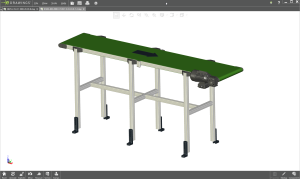
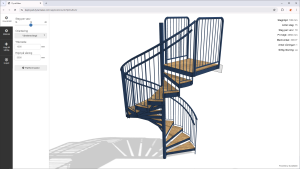
Having a customer portal, or B2B e-commerce, on your site can really help with getting more engagement, sales and quotation requests from your customers and distributors.
There are however many ways to setup your customer portal to get the proper automation and workflows. Therefore we will cover our favorites in this article.
What a customer/distributor portal is solving
While the company website and e-commerce solves the finding of information and just buying a product right away, the customer portal is more focused on helping with more complex deals involving quotation requests, technical documentation and returning customers/distributors.
Therefore the portal is focusing on guiding the customer to the purchase (visual configuration), easy submitting quotation requests of what you are interested in (RFQ) and presenting multiple offers and combinations in an well organized manner. The steps are usually lead, opportunity, quote and order.
A: Low budget portal – capture customer requirements
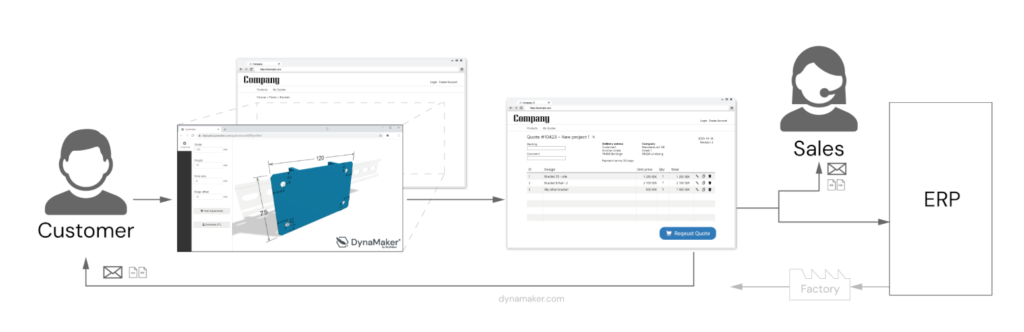
If there is no e-commerce already in place a good starting point is to just start capturing the customers requirements with product configuration. A visual product configurator for the best selling product, the newly released product, or just an order form, can start adding value quickly and help a company figure out the following steps in the digitalization journey.
The simplest and cheapest way to start small is just adding a product configurator to the website to guide the user in the purchase and a form for the user to fill in essential details and submit the request. The website visitor gets to fill in their requirements and the sales team will get a neatly organized and rule-checked submission that is easy to make an estimate for. The website visitor will however have to wait for a manual response from the sales team before they understand price or similar.
Key ingredients:
- An easy to use product configurator to guide the customer (we of course recommend our visual configurator with DynaMaker..)
- A button on your homepage that links to the product configurator (with or without login)
- A form where the user can fill in their contact information and additional info about their request
- A checkout page to collect multiple configurations to the same request (test our free WordPress plugin for low budget RFQ portal)
Benefits of the low budget portal
- Easy to market and start getting sales
- Short time to launch a first solution
- Small investment
- Start educating the internal team on automation
Drawbacks
- Customers wont see price right away like in an e-commerce (see setup B below)
- Requires some internal manual handling by sales before quote can be submitted (probably less then before however)
B: Powered up E-commerce – configure to order shopping
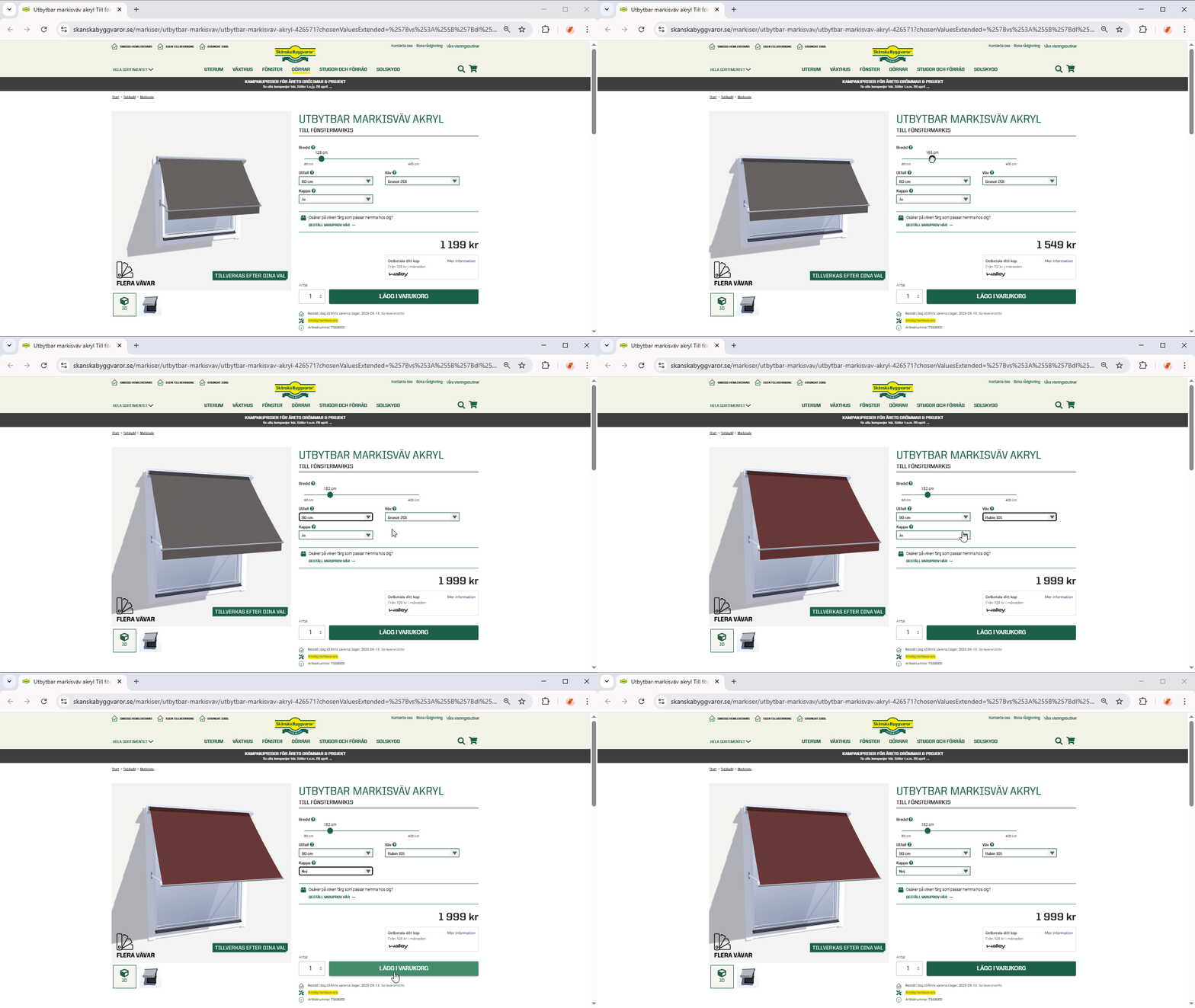
If you have a E-commerce, or is going to invest in one, you can power it up with product configuration and portal functionality to get the most out of the experience. Instead of quoting this will focus on guided selling towards a direct purchase. And it usually upgrades the existing product pages making configuration seamless with the e-commerce.
Key ingredients:
- An e-commerce platform available via the website
- Configurable products or variant handling
- Swap the images for third party visualization (DynaMaker is of course what we recommend here)
- Checkout with Add to Cart
- Can be combined with the budget portal above (See setup A)
Benefits of Configuration in E-commerce
- Sell both configured and off the shelf products in the same way
- Can be combined with the budget portal or a full CPQ (see A or C)
Drawbacks
- Requires investment in E-commerce
- Hard to work with user specific pricing (shopping codes,
- Not suitable for many B2B sales cases like distributors
- Limited support for quotations and “buy later” workflows (needs combination of A or C)
- Not suitable for more complex configuration
- Advanced pricing often a limit
C: Configure Price Quote portal – complex configuration & pricing

For the most complex products where both the product configuration and the sales process have many steps to pass there are Configure Price Quote (CPQ) solutions out there. For companies with many distributors where different price lists, different markets and individual conditions are common the portal becomes the core of the sales operation. The full CPQ solution can usually automate everything from quote generation to order preparations (often integrated with the ERP).
Key ingredients:
- Advanced configurations or space planning / draw freely workflows.
- Instant visualization of the products, preferably with 3D-visualization and CAD-automation (yes, we also recommend DynaMaker for this)
- Document automation to save time with quote generation from template, automatic generation of technical quote drawings, BIM/STEP, etc (and yes, this is what DynaMaker does too)
- Price rules and discount structures
- Shipping & delivery calculations
- User handling with multi-level roles (guest, user, organization manager, sales rep, sales admin, etc)
Benefits of the full CPQ setup
- Makes complex sales easy
- Reduces the amount of human errors from sales/distributors
- Enables full automation for on demand products
Drawbacks
- Big investment
- Many pitfalls in implementation