How to create a landing page for product configurators

If you are targeting sales and distributors in a customer portal, or lead generation direct from the website, you usually need a landing page to provide a starting point for the user. We recommend having a dedicated page for this with a clear headline and a presentation of the tools the user can use to get started.
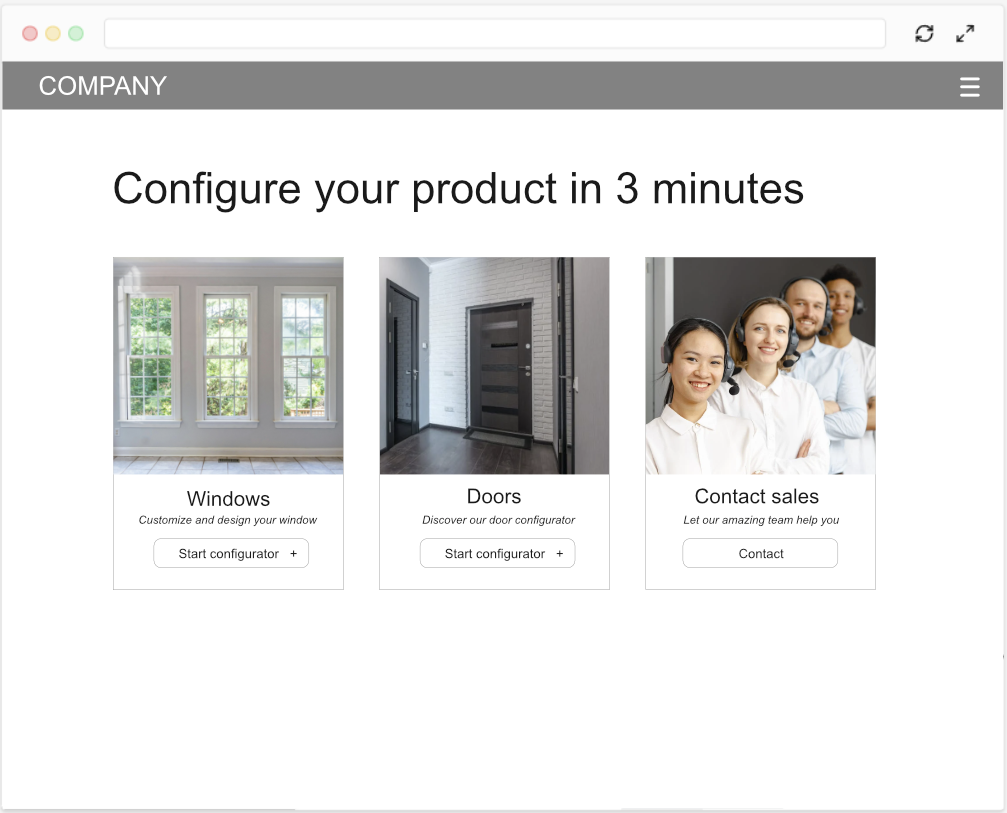
The key elements of the landing page should be:

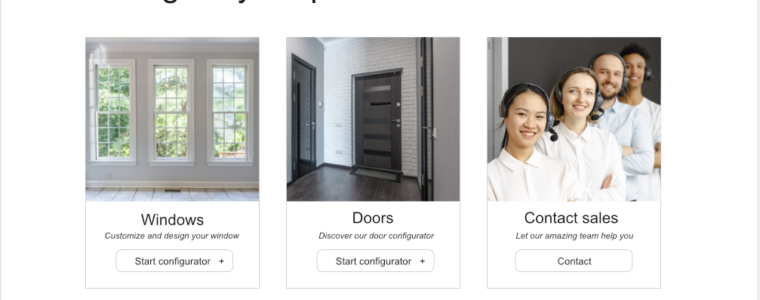
Show images & links to each online tool that is available

Present each product configurator with a nice looking image, a headline and a clear button / link how to start using it.

Remember to showcase customer sales or support

Since self service tools like product configurators always contain limitations compared with your internal tools you should always try to promote the old fashioned service channels like contacting sales or support. Having this option directly on the landing will make the user understand that there might be more flexibility available if the get in contact.

Clear headline what to expect

Make sure that you have a clear headline on your landing page targeting whoever you expect to visit the landing page (sales, distributor, new customers, etc)
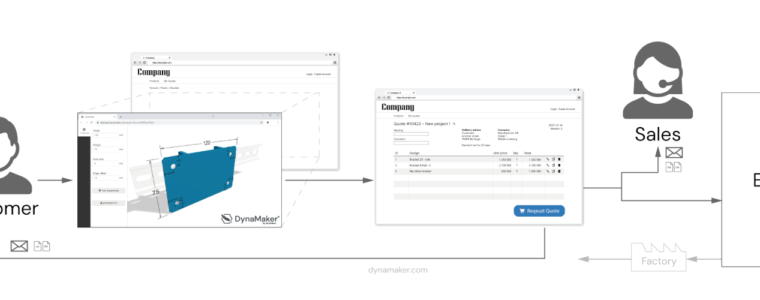
How to setup a customer portal for configured products

Having a customer portal, or B2B e-commerce, on your site can really help with getting more engagement, sales and quotation requests from your customers and distributors.

There are however many ways to setup your customer portal to get the proper automation and workflows. Therefore we will cover our favorites in this article.

Free CAD file conversion online: STEP to binary GLTF

When developing a CAD configurator intended to be used online in a e-commerce or a website you really need to have lightweight 3D files in a compressed format. Since state of the art in lightweight and compressed 3D format today is the binary version GLB of GLTF file format, we have created the GLBIFYER as an free online conversion of STEP files to GLB that is all handled in a secure way on your local browser.

What is visual product configuration?

When you want sell a product in more variations than small, medium and large, you usually need some way to guide the user and handle the available variations. This is where product configuration software comes in to help the users make choices and verify that it’s possible to combine the choices in the requested way. Adding interactive product 2D/3D-visualization to a product configurator just makes it easier to use for new people and makes them more comfortable with buying the product.