Using LLMs to help with the creation and modification of product configurators has become a hot topic this year thanks to great progress in what the technology can do. It has great potential to speed up iteration cycles when building product configurators with CAD.
Here are our recommendation and best practices for configurator building with DynaMaker and a script language like TypeScript.
Key principles when using AI:
- Decisions should still be made by a human with expertise (engineering, design, manufacturing, etc)
- LLMs can sometimes make errors. A human with expertise still needs to verify and understand the fundamental behaviors.
How to use AI to create with DynaMaker
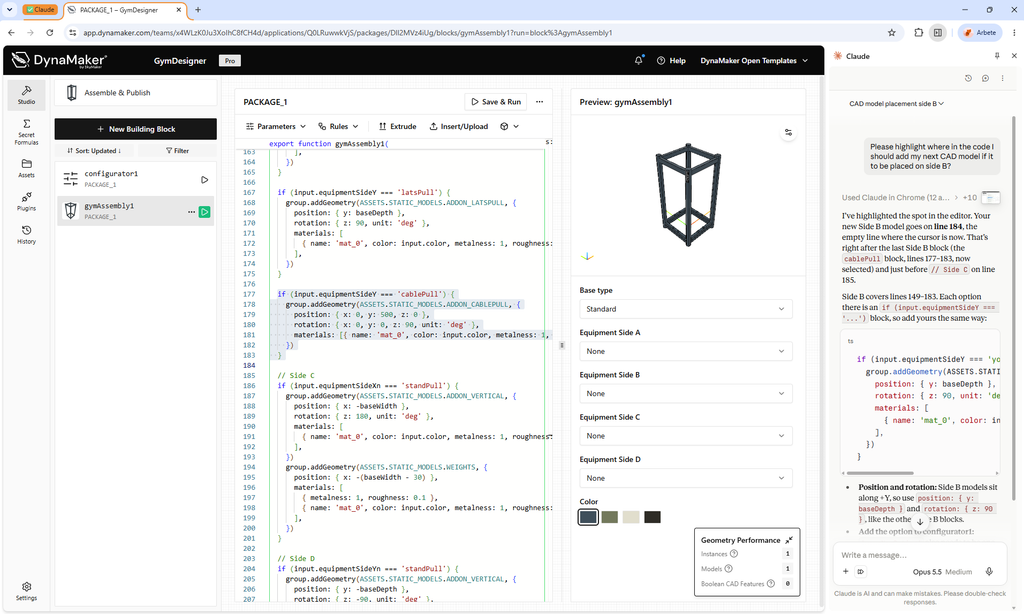
To make sure that you understand what is going on (on a high level), and are in a position to make decisions, we recommend using a browser plugin for your favorite LLM together with a cloud service like DynaMaker. Examples of this can be Claude with Claude in Chrome, Gemini in Chrome or use a dedicated browser like ChatGPT Atlas or Perplexity Comet. This will give both you and the LLM model the same context when you are writing instructions:
- Shared view – the LLM sees what you see
- Visible changes – Every change happens in front of you, in the tool your responsible for. You can check the geometry right after each step.
- No copy paste – You never move code between a chat window and the editor, which is where versions get out of sync and nobody reads what was pasted.
You can of course use the desktop version of any LLM as well (sometimes faster), but then you need to make sure that the context is clear and might need to copy paste the results yourself. You can try our DynaMaker skill files for this.
Good use cases for a new product configurator
New configurators come with a clean slate where you can easily create the first structures:
- Getting recommendations on what architecture and strategy to choose before starting
- First draft of structure so you get something working
- Asking follow up questions about specific topics (“why is this needed”, etc)
- Reviewing your solution before release (add test cases, verify behaviours)
Good use cases for a existing product configurator
Existing configurators come with a long history and might be complex to understand.
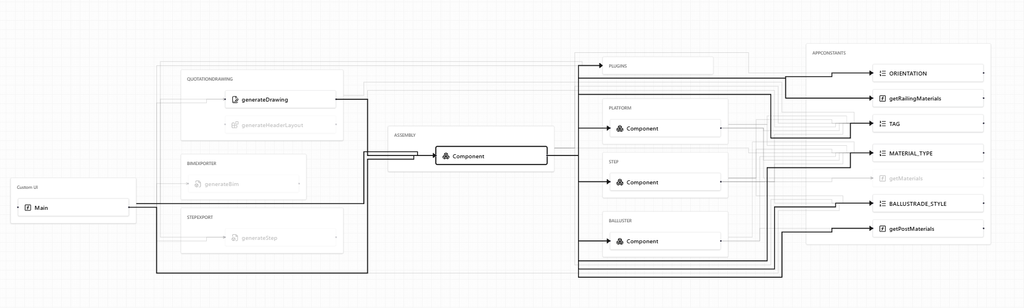
- Ask questions about the current implementation to understand how things work
- Get recommendations on how changes might impact the application and what strategy to choose
- Adding test cases to verify that behaviors do not change
- Refactoring of existing solutions
- Add new features
Danger zone what to avoid with LLMs
- Generate full app without proper context. Will result in huge customized solutions instead of solution using existing best practices.
- Use LLM models without proper sandboxing. Can result in unintentional use of sensitive data in the product configurator (customer-specific data on sharepoint, unauthorized use of access keys, etc)
- Use ambiguous and simple specifications for behaviours. Will result in average behavior and assumptions that might cause problems for products to be manufactured (use competitors 3D-models, etc)