
Template – Perforated sheet calculator
Everything must not be 3D in configuration. Using the power of the 2D geometric CAD engine in DynaMaker it can easily output various hole patterns and shapes that can be downloaded directly by the user, or exported directly to manufacturing. Formulas computing the area, perforation or other interesting values like pressure loss or strength data […]
Template – Aluminum profile T-slot CAD configurator
Use predefined standard aluminum profiles like the 20×20 T-slot (DXF file format) to toggle different extruded CAD-models to your desired size. Use together with accessories that can be toggled on or off. All exported in to the same 3D CAD file (.step AP242).
Template – Electrical cabinet CAD-configurator
Are you offering customized sheet metal cabinets and products and want the client to do the customization themselves? Or do you need to make cutouts at certain places? No matter the case, this DynaMaker template for cabinets and electronics could perhaps be a good starting point for your first online CAD configurator.
Template – Glass railing configurator with drawings and BIM export
Glass railings are usually customized to the dimensions of the customer’s home. This template is great to build on if you’re looking for a way to sell custom glass railings in e-commerce. Once the design phase is complete the customer can request a quotation for their design and download a PDF drawing that shows the […]
Template – Shower stand BIM configurator for e-commerce
Enable the user to customize a shower stand with measurements and glass color. This is an example of how a configurator can look, and is easy to integrate into e-commerce where the customer can configure the shower stand with measurements from their home. The visualization makes it easy for the customer to understand how the […]
Template – Load and size calculator for Lifting tables
Picking the right size and load capacity for your lifting table is hard. The customer know what to lift while the manufacturer knows what is required to make a stable and safe liftable work table. Having online product configurators will help the customer to fill out what they know and let the rules calculate whats […]
How to develop modules that hide complexity

Why hiding complexity well inside each module shapes how maintainable your entire app becomes.
Configure CAD assemblies – properties VS mouse interaction

Property-driven or interaction-driven — the two main strategies for class-based CAD assemblies in a web configurator.
Generating STEP-files from online CAD geometry

Two main ways to export STEP files automatically from your online CAD visualizations.
How to use 3D visualization files (.stp, .gltf and .stl) in your online CAD configurator
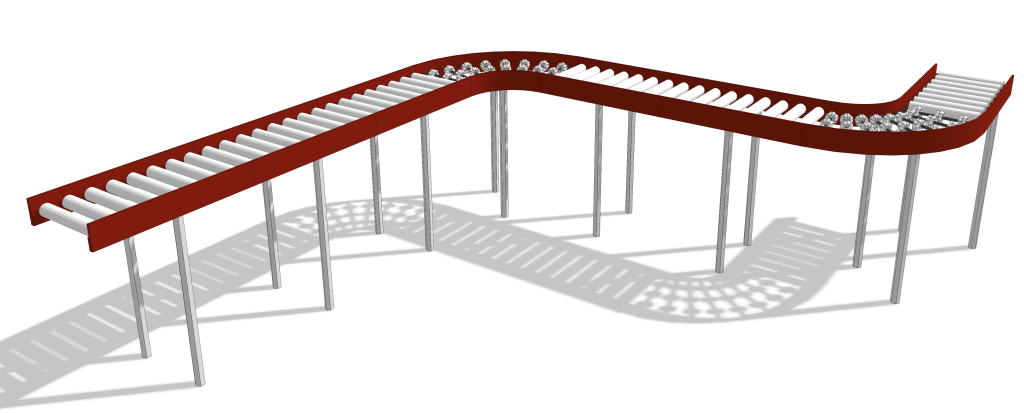
Do you already have your own 2D & 3D files? Then it’s very easy to reuse them in DynaMaker without remodeling them again. If there are parts in your product that remain unchanged regardless of the configuration (“static”), you can reuse your 2D & 3D files in DynaMaker for them, so that you can focus […]